kNewsroom /Autopilot · Nov 18, 2026
Press release
New · Autopilot · live now

Grab the popcorn. Watch your story write itself.

KudoNovel's new Autopilot takes a story from where it stands and keeps going: it plans where the story is heading, drafts the next beat, writes it out in full prose, then the next, and the next. No prompts. No “continue”. You just read.

Grab the popcorn
3 · The Last Pier1,204 wordsAa

“Tomas,” she said. The first time in years, and it came out too careful, the way you carry a thing you have dropped before. She watched it land on him.

Autopilot started

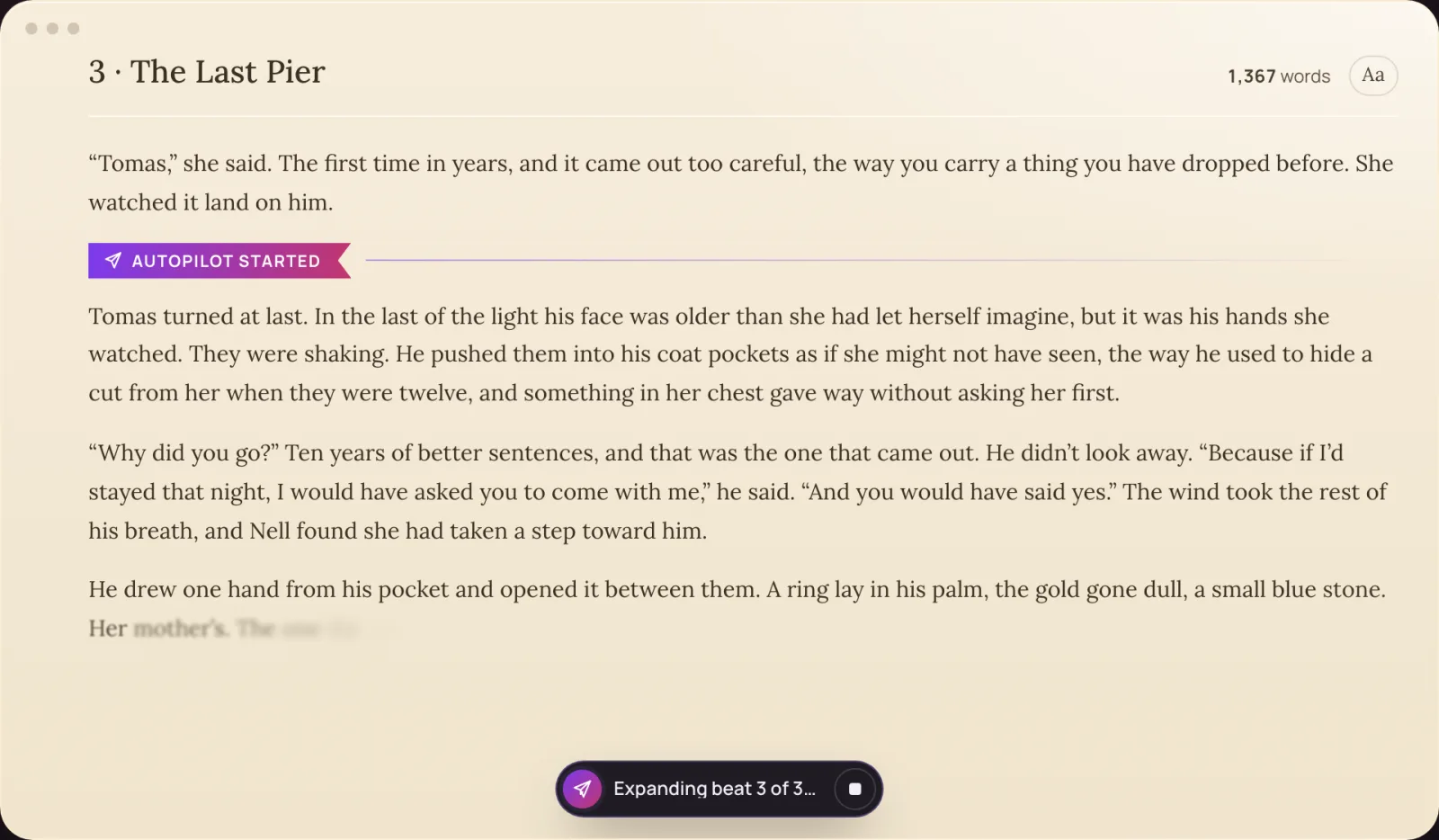
Tomas turned at last. In the last of the light his face was older than she had let herself imagine, but it was his hands she watched. They were shaking. He pushed them into his coat pockets as if she might not have seen, the way he used to hide a cut from her when they were twelve, and something in her chest gave way without asking her first.

“Why did you go?” Ten years of better sentences, and that was the one that came out. He didn’t look away. “Because if I’d stayed that night, I would have asked you to come with me,” he said. “And you would have said yes.” The wind took the rest of his breath, and Nell found she had taken a step toward him.

He drew one hand from his pocket and opened it between them. A ring lay in his palm, the gold gone dull, a small blue stone. Her mother’s. The one the sea had taken the night of the storm, the one Nell had searched the shingle for until her fingers bled. “I found it,” Tomas said quietly. “I’ve been trying to bring it back for ten years.”

Autopilot paused · beats written: 3Continue autopilotStop autopilot

Nobody is typing. That's Autopilot.

01 · One click

No prompts. No “continue”.

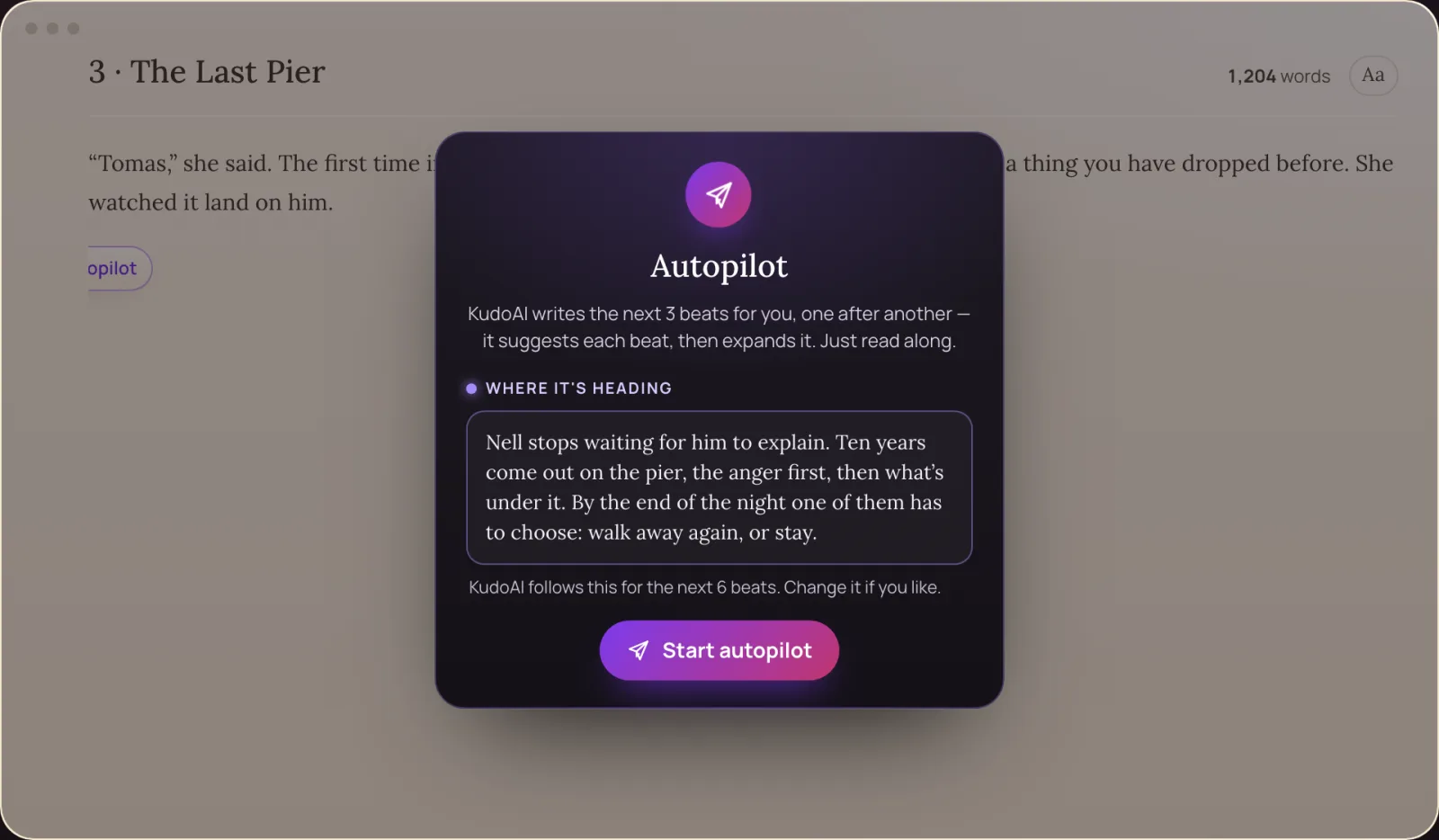
Press Autopilot on an empty paragraph, then Start. That's the whole instruction. It reads your story, your Bible and where you left off.

02 · It knows where it's going

A plan first, then the pages

Before it writes, it drafts where the story is heading. Change it in a line, or leave it to KudoAI. Every six beats it checks back with a new one.

03 · It writes long

Beat after beat, in full prose

Each beat is drafted, then expanded into finished prose on your page. Three at a time; press Continue and it keeps going as long as you like.

The problem it solves

Long stories shouldn't need a hundred prompts

Ask a chat assistant for a long story and you get a few hundred words, then a question back. To get a chapter you type “continue”, again and again, re-explain who's who when it forgets, and paste the pieces together. Autopilot was built so you don't.

A chat assistant

  1. Write a prompt describing the story, the characters, the style.
  2. Read a short reply that ends where it likes. Type continue.
  3. Type continue again. And again.
  4. Remind it what happened three chapters ago, when it forgets.
  5. Copy each reply into a document, in order, by hand.

You are the one doing the driving.

KudoNovel Autopilot

  1. Press Autopilot. It drafts where the story is heading from what's already on the page.
  2. Press Start. It drafts the next beat and writes it out in full prose, on your page.
  3. Read. The next beat, and the next, with nobody typing.
  4. It remembers. A story bible and a summary of the book keep up by themselves, so chapter 30 is written with chapter 1 in mind.
  5. Continue for more, or take the pen back. It's already your manuscript.

You sit back. The story keeps going.

How it works

Four moments, one click

Autopilot lives in the margin of every empty paragraph, as a paper plane, once your story has a paragraph or a Bible entry to start from.

The Autopilot window over the KudoNovel page: Where it's heading, with a drafted direction for the next beats, and the Start autopilot button.
1Where it's heading. KudoAI reads your story and drafts where the next beats go. Edit it, rewrite it, or leave it empty and let KudoAI decide. Then Start.
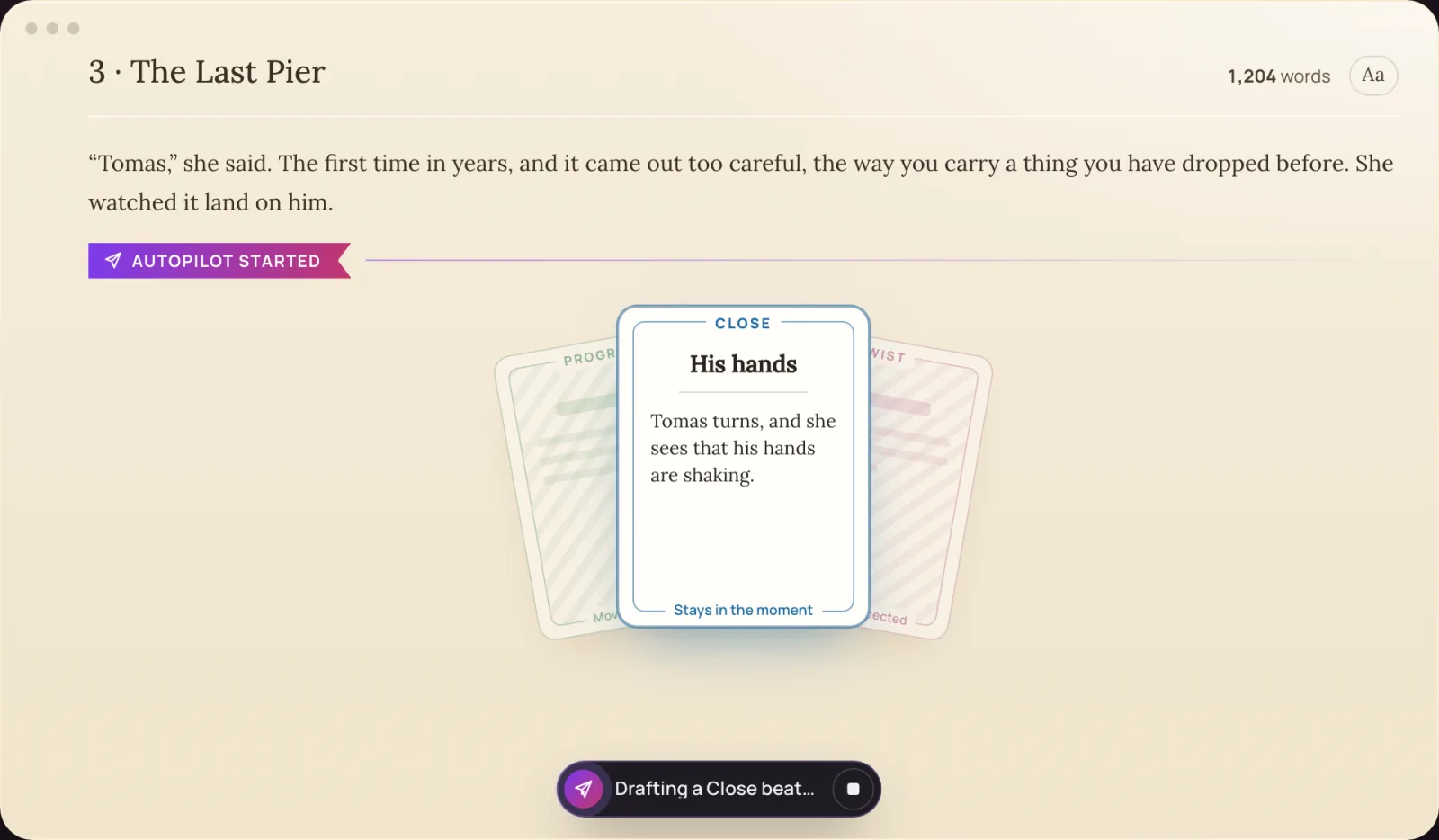
On the page, under a ribbon reading Autopilot started, three cards fanned out; the front one, Close, turned up: His hands. Tomas turns, and she sees that his hands are shaking.
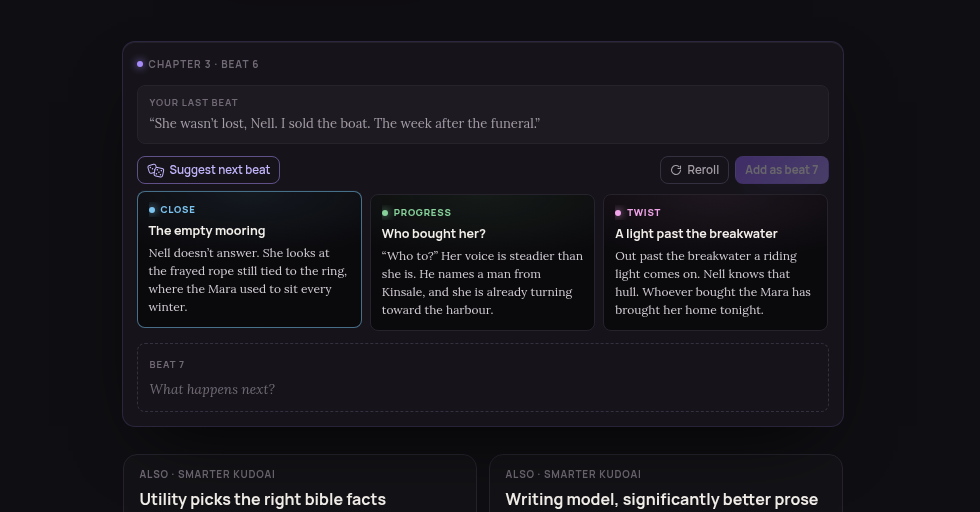
2The next beat, drawn. The cards riffle and one turns up: a close moment, the next step, or now and then a twist that breaks no fact you've set.
The page filling with prose, paragraph after paragraph, the word count rising, and a pill at the bottom reading Expanding beat 3 of 3.
3Written out, in full. Each beat is expanded into finished prose on your page, the word count climbing. The page never jumps under you while you read.
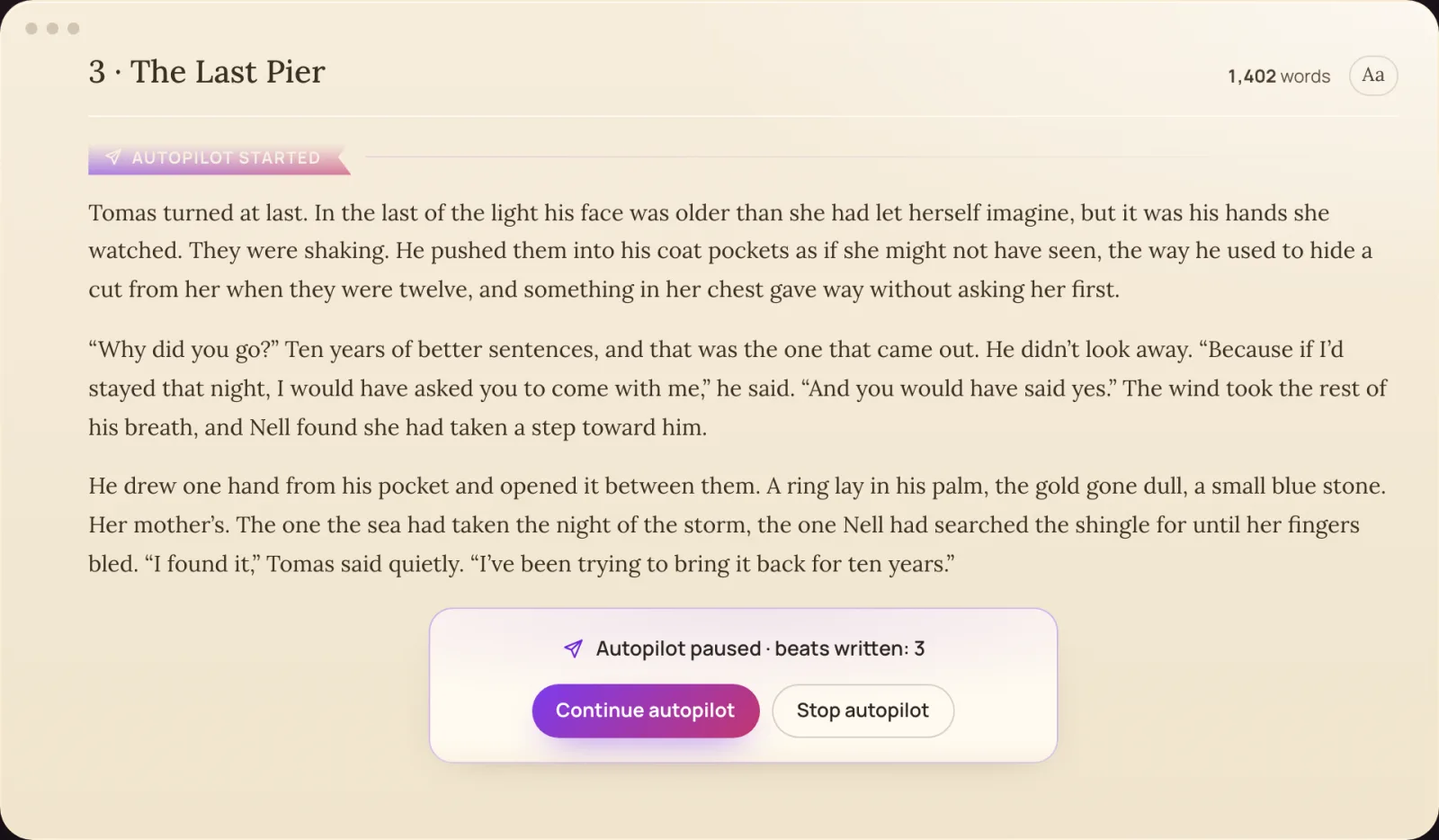
Three new paragraphs on the page and under them: Autopilot paused, beats written: 3, with Continue autopilot and Stop autopilot.
4Continue, or take over. After three beats it pauses. Continue for three more, or stop and write on yourself. Every word is yours to edit.
Who it's for

Some days you'd rather just read

The idea-havers

You know the story you want. You just want to see it written out. Put the idea in, press Autopilot, watch.

Romance readers

The slow burn, the almost-kiss, the night it finally happens: let it unfold, and steer the heat where you want it.

Blocked writers

Stuck in the middle of chapter 12? Let Autopilot draft the next three beats, keep the good parts, take the pen back.

Fan fiction writers

Your ship, your what-if, written on and on. Then publish chapters free to Community Books, or export them.

KudoNovel, the browser app for writing novels with AI, today launched Autopilot: a mode in which its built-in AI, KudoAI, writes a story on by itself, beat after beat, in full prose, while the writer reads. There is nothing to prompt. One click, and the story keeps going.

Most AI writing tools still work like a conversation. A writer asks, the AI answers a few hundred words, and the story only moves when the writer asks again. Autopilot turns that around: the writer presses one button on an empty paragraph, and KudoAI takes the story from where it stands.

Some days you don’t want to write. You want to see your idea become a story. Now you can just watch.

How Autopilot works

Before it writes anything, Autopilot drafts where the story is heading, from the chapter so far and the story bible, and shows it to the writer, who can change it in a sentence or leave it empty for KudoAI to decide. Then it writes three beats in a row. For each one, KudoAI drafts the next beat (a close moment that gives the scene more room, the next step forward, or now and then a twist that breaks no fact the story has set), places it on the page, and expands it into finished prose. The writer picks nothing and types nothing.

After three beats Autopilot pauses under the last one, with Continue autopilot and Stop autopilot. Every six beats it drafts a fresh direction for the writer to confirm, so a long run never drifts away from what the writer wants. A ribbon marks where it started and each checkpoint, a small pill at the bottom of the page says what it is doing, and the page never scrolls under a writer who is reading.

Built for long stories

Autopilot sits on top of what makes KudoNovel a novel writer rather than a chat window: a story bible of characters, places, items and events that keeps itself up to date as the book grows, and a running summary of the whole book, so a late chapter is written with the first one in mind. Every beat Autopilot writes is ordinary text on the writer's page. It can be edited, steered with a one-line instruction, or undone; Clear all on Autopilot's bookmark removes everything from that point on in one step, and Undo brings it back.

Availability

Autopilot is live today for every KudoNovel writer at kudonovel.com, in any modern browser on a computer or a phone, and in all 22 of the app's languages. It runs on the same KudoAI credits as KudoNovel's Suggest and Expand, the free credit included: sign-up is free and needs no card, a confirmed email brings one KudoAI credit, then one-off credit packs from $3.50, with no subscription.
Questions

Autopilot, answered

Do I have to prompt it?

No. Press Autopilot on an empty paragraph and Start. KudoAI drafts where the story is heading, then writes three beats in a row, each drafted and expanded into prose. If you want a say, change the direction in a line; if not, leave it empty and KudoAI decides.

How long does it write?

Three beats at a time, then it pauses under the last one. Press Continue autopilot and it writes three more, as long as you keep going. Every six beats it drafts a new direction for you to confirm, so a long run stays on your story.

Will it remember my characters?

Yes. Autopilot writes with your story bible and the summary of your book, which keep up by themselves as you write, so the people, places and facts you've set stay true.

Can I change what it wrote?

Every beat is ordinary text on your page: edit it, steer it in one line, or undo it. Clear all on Autopilot's bookmark removes everything from there on in one step, and Undo brings it back.

Does it cost extra?

No separate plan. Autopilot uses the same KudoAI credits as Suggest and Expand (each beat is one suggestion and one Expand), and it works on the free credit too. Credit packs are one-off, from $3.50, with no subscription.

Will it write romance and spicy scenes?

KudoNovel adds no content filter of its own: genre and heat are the writer's call, within the law. You can steer any beat afterwards to slow it down or turn it up.

More from the newsroom

All releases →
The KudoNovel letter

Be first to read the next chapter.

Press releases and product updates from KudoNovel, straight to your inbox — for writers, reviewers and anyone covering AI and fiction.

  • New features the day they ship, with the demo
  • Notes on how we build KudoAI, in plain words
  • Early looks before the press release goes out
Send me

About once a month. No spam, never sold. One-click unsubscribe in every email. See our privacy policy.

k

You’re subscribed.

You’re subscribed to our mailing list. You should receive a confirmation email at .

Use a different email

Your story, on autopilot.

Sign up free, get a credit, put your idea on the page and press the paper plane.

Try Autopilot free