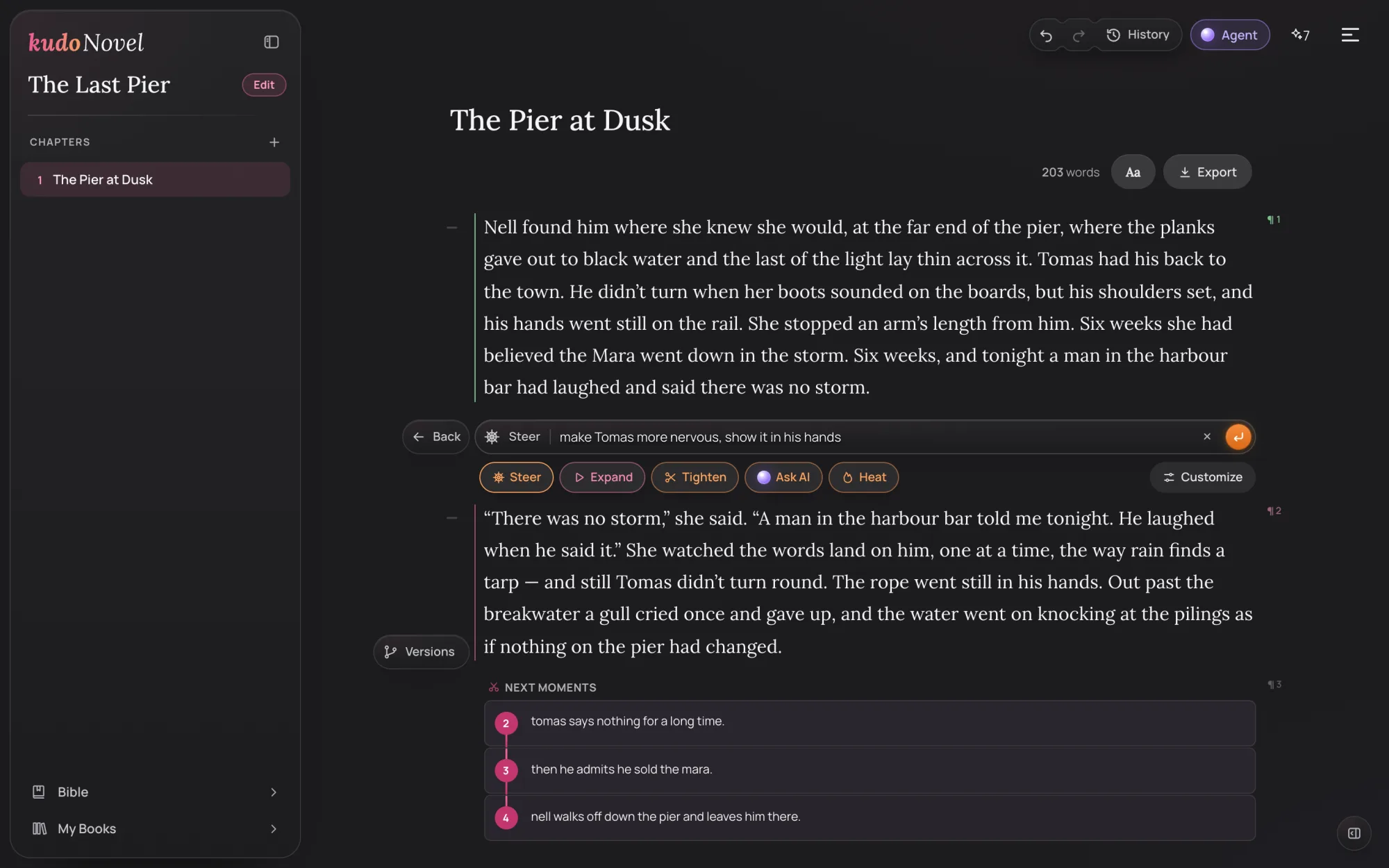
The whole idea in a minute
Every paragraph is a beatYou type
A line, a rough idea, a full passage. Spelling and grammar don't matter yet.
Expand writes
Your line becomes prose, right where you typed it, keeping your words and what happens.
You steer
“Make him more nervous.” One line, and the paragraph is edited in place.
It remembers
The story bible files who's who and what happened, so every chapter stays true to the last.
A blank page, and one line.
A chapter is one page of paragraphs, and the page is your book. There's no setup and nothing to save — every word saves to your account as you type, on every device.
- Type the next moment however it comes: “nell finds tomas on the pier at dusk…”
- Not sure how to begin? On a new book, Suggest an opening gives you a first paragraph to start from.
- Three Enter in a row start a new paragraph.

An empty paragraph. The dice in the margin suggest one if you're stuck.
Press Expand. Your line becomes a scene.
The button sits in the margin beside the paragraph. Press it and the AI writes your line out in place — your events, your names, in your book's person and tense. Before it writes, it picks what it needs from your story bible and reads the paragraphs around it.
- Drag the slider to compare the line you typed with what came back.
- Highlight part of a paragraph and Expand works on that part only.
- You can edit any word by hand, any time. Nothing is locked.
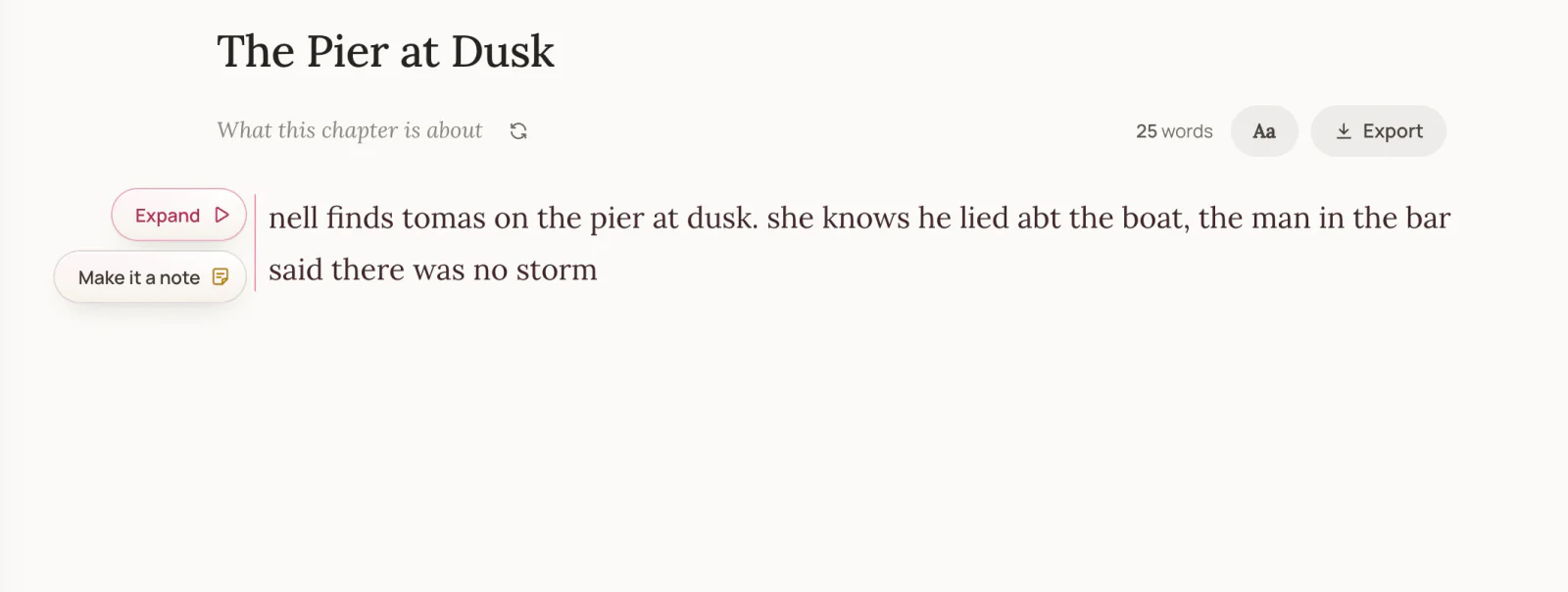
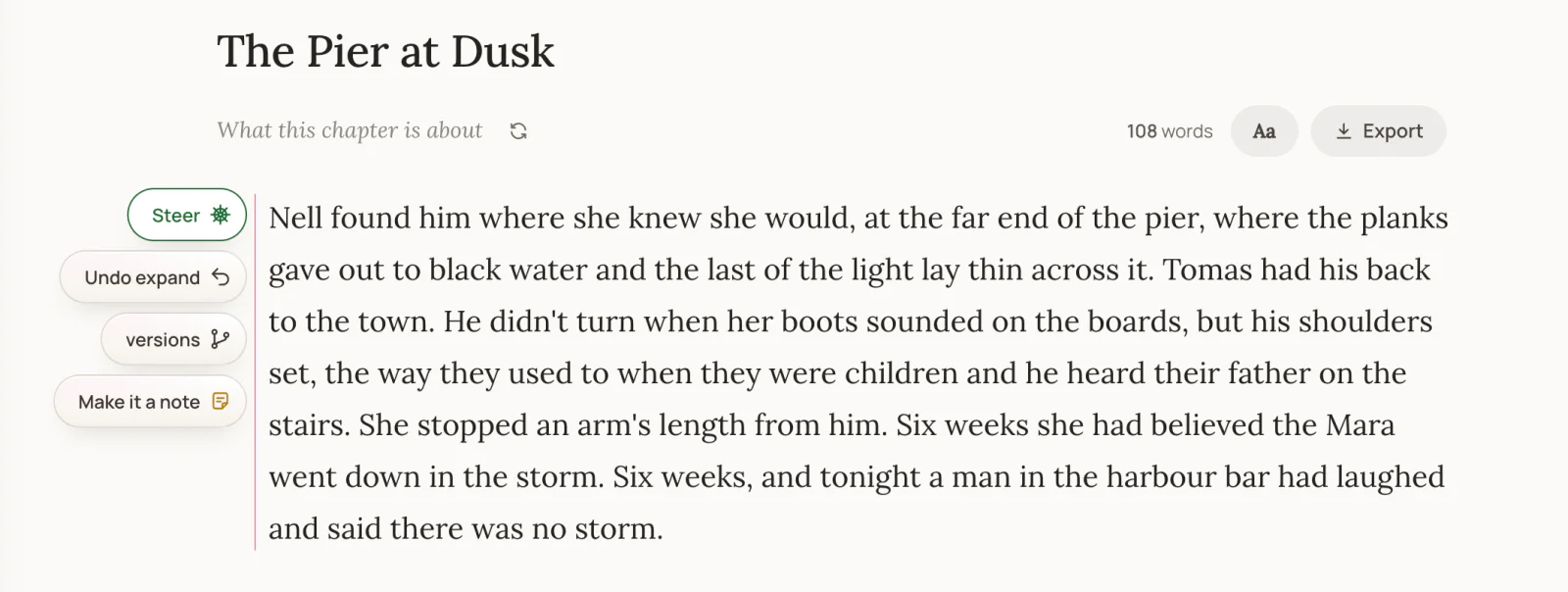
Drag to compare. 25 words in, 108 out.
A lot in one line? Take it a moment at a time.
KudoAI writes best a few moments at a time. When the line you typed holds several — she tells him, he says nothing, he admits it, she walks off — Expand doesn't cram them into one paragraph. A panel opens on the right with your line as a timeline of moments. Drag the scissors, or tap a moment, to choose where to cut: what's above it is expanded now, the rest waits as your next paragraph.
- Your own words are cut, never reworded. A vague line like “they have dinner” gets a few concrete moments from KudoAI, marked as its ideas.
- The moments still to write sit under the paragraph as small numbered cards. Tap one, then Expand, and the next moments are picked up from there.
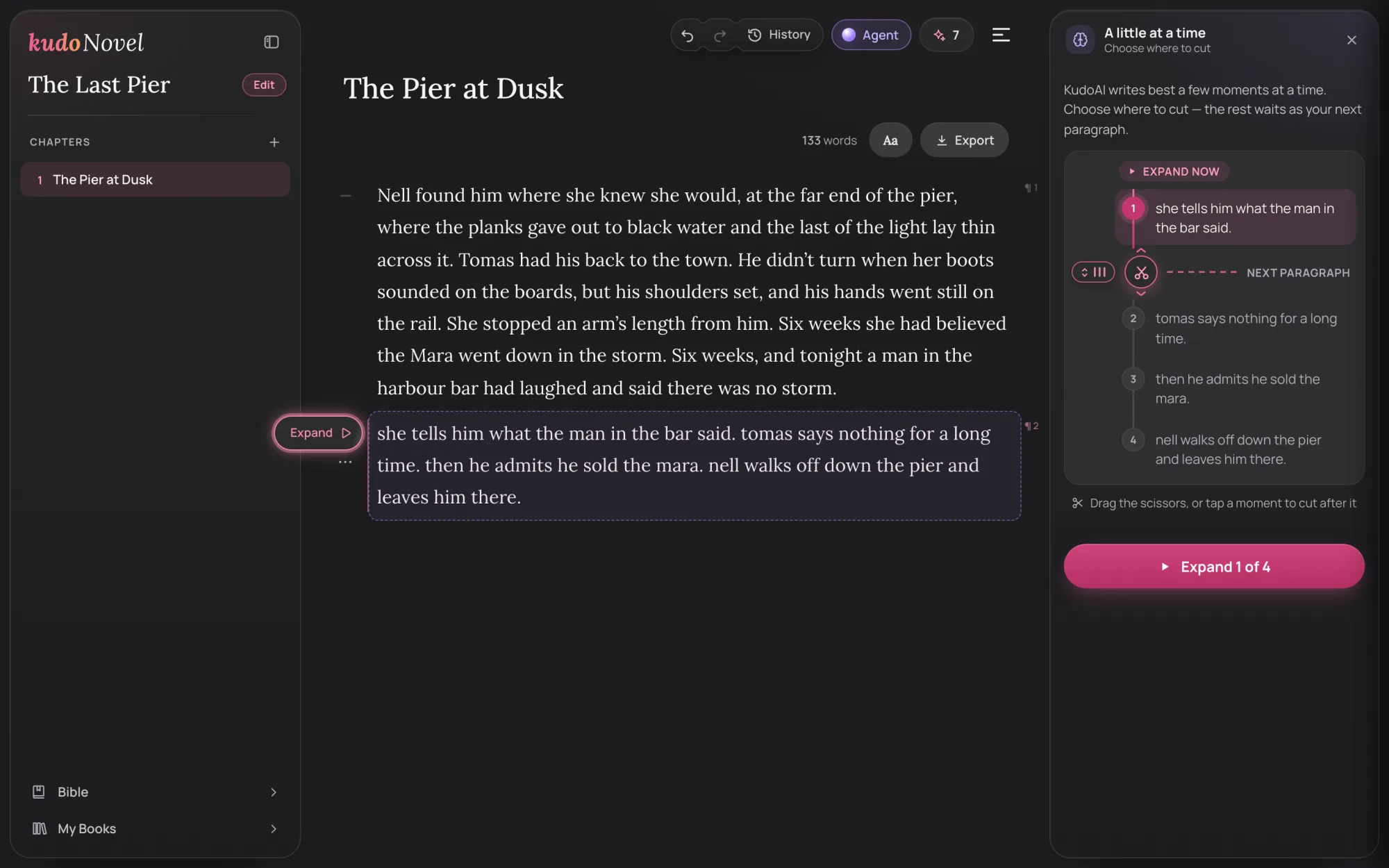
One line, four moments. Expand the first now; the scissors decide where the rest begins.
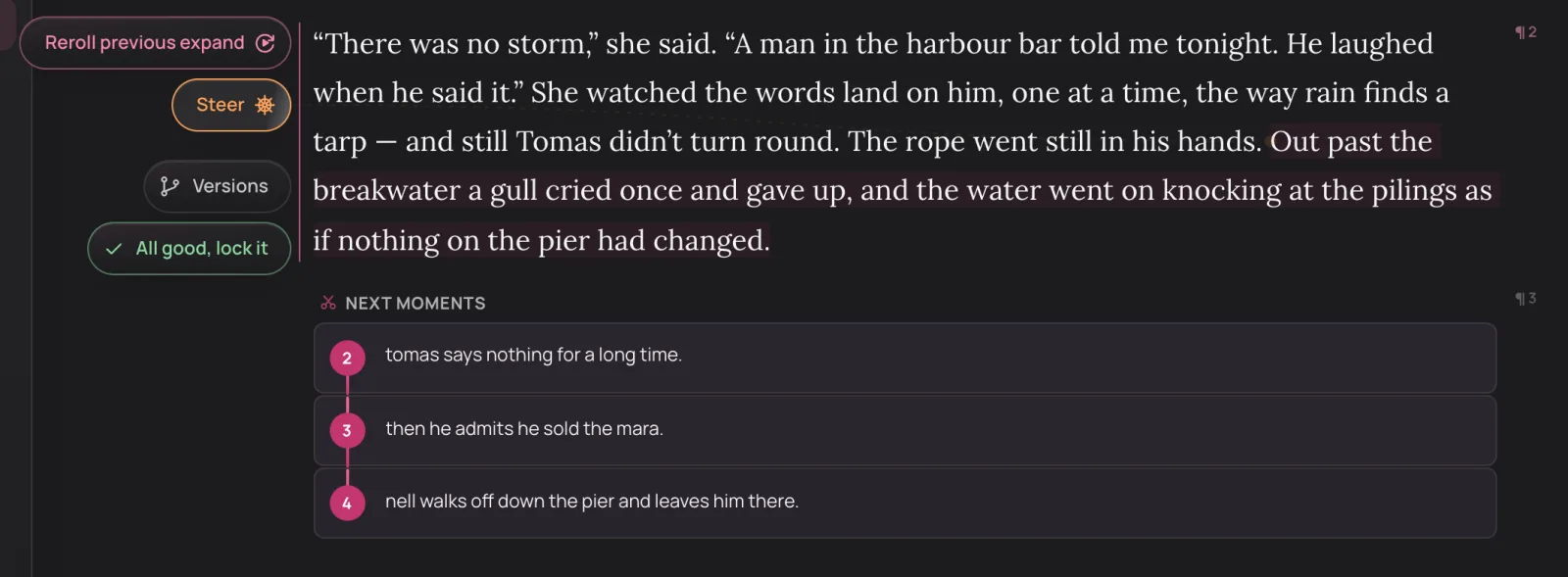
The first moment, written. The other three wait under it as Next moments.
Not quite right? Say it in one line.
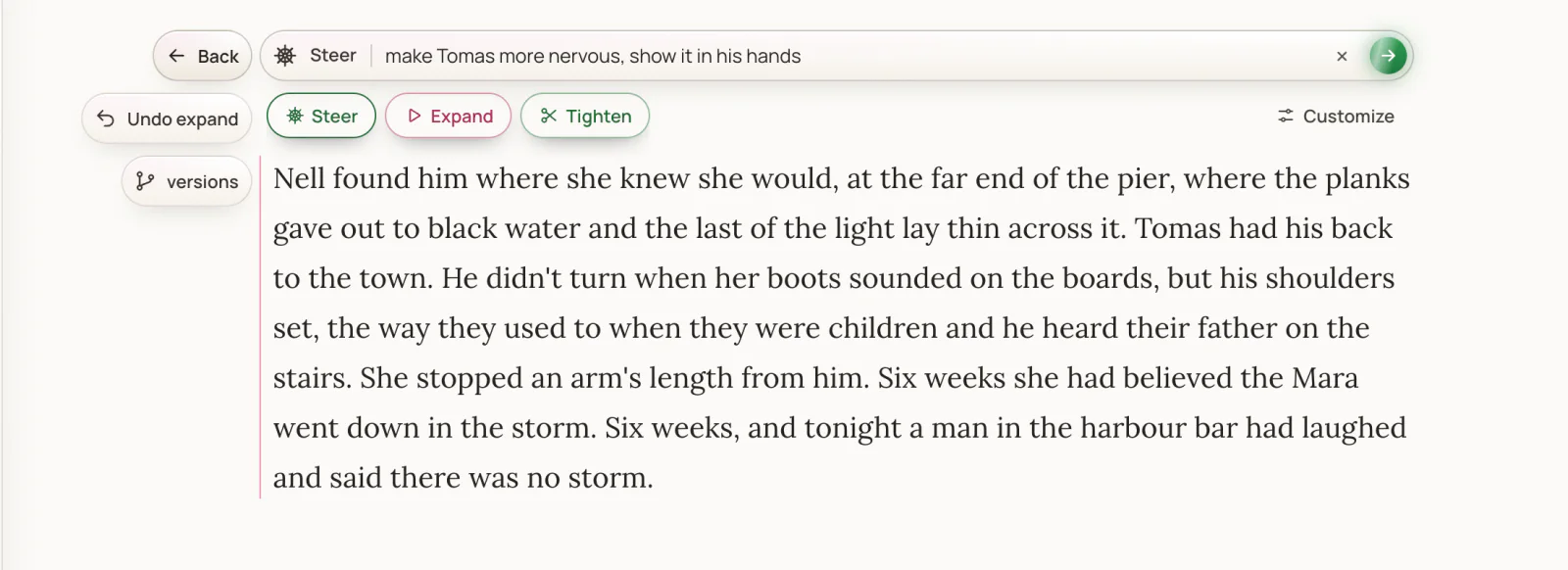
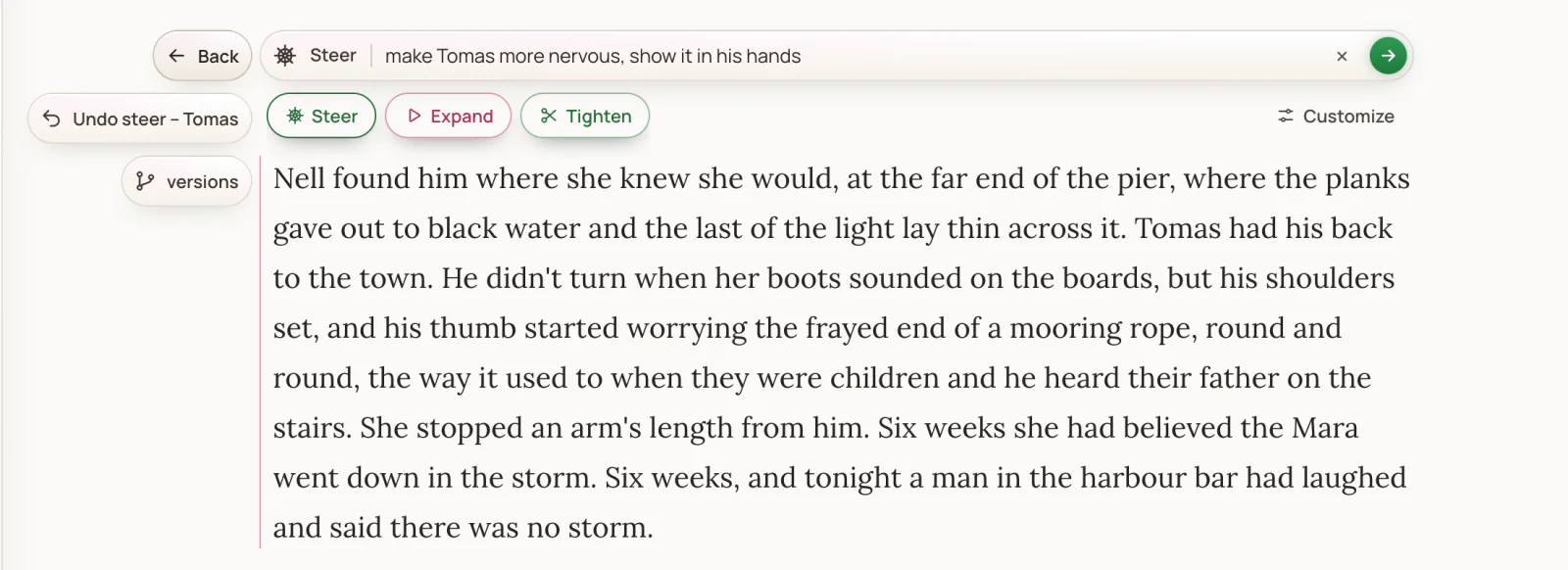
Press Steer, type what should change, press Enter. The paragraph is edited where it needs it, and what your steer doesn't reach stays word for word. What changed shows for a moment — new words in green, cut ones struck through.
- Highlight a sentence first to aim the steer at just that part.
- One-tap steers sit under the box — Expand, Tighten — and Customize lets you save your own.
- Your steer outranks everything else the AI reads.
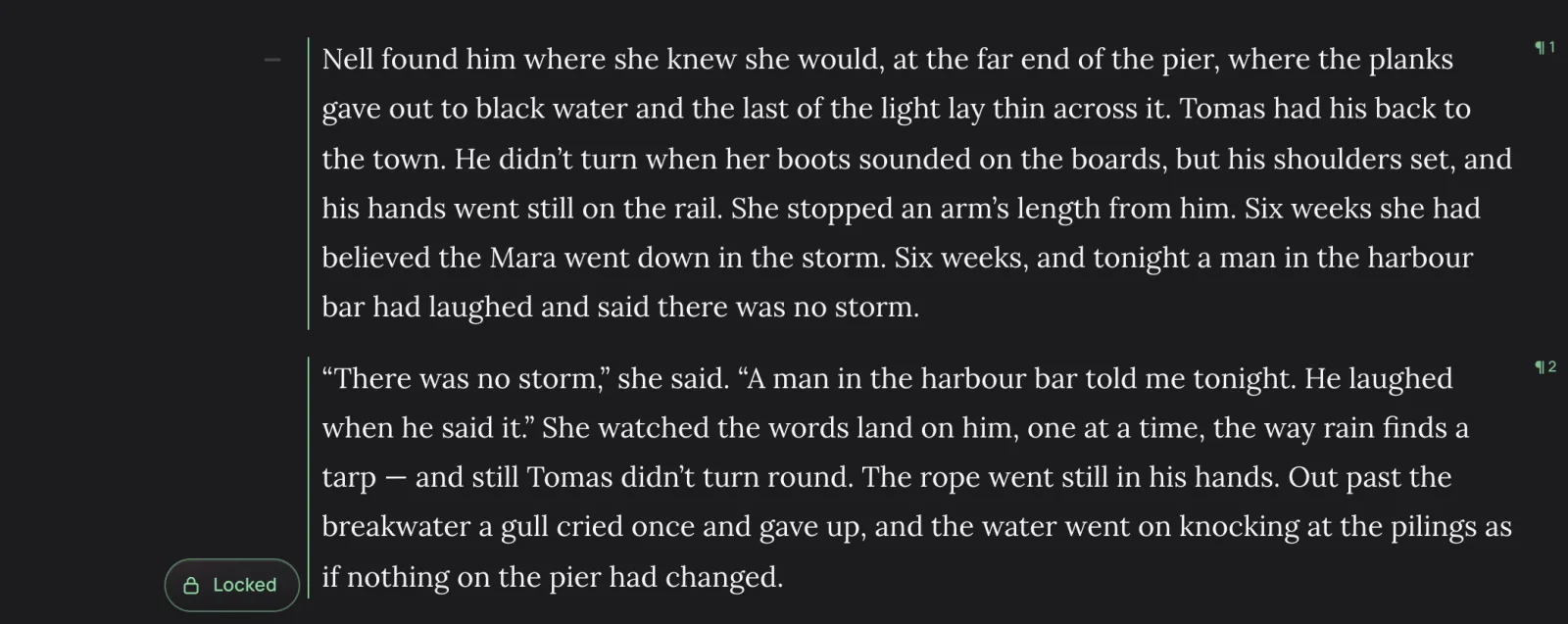
Happy with it? Lock it.
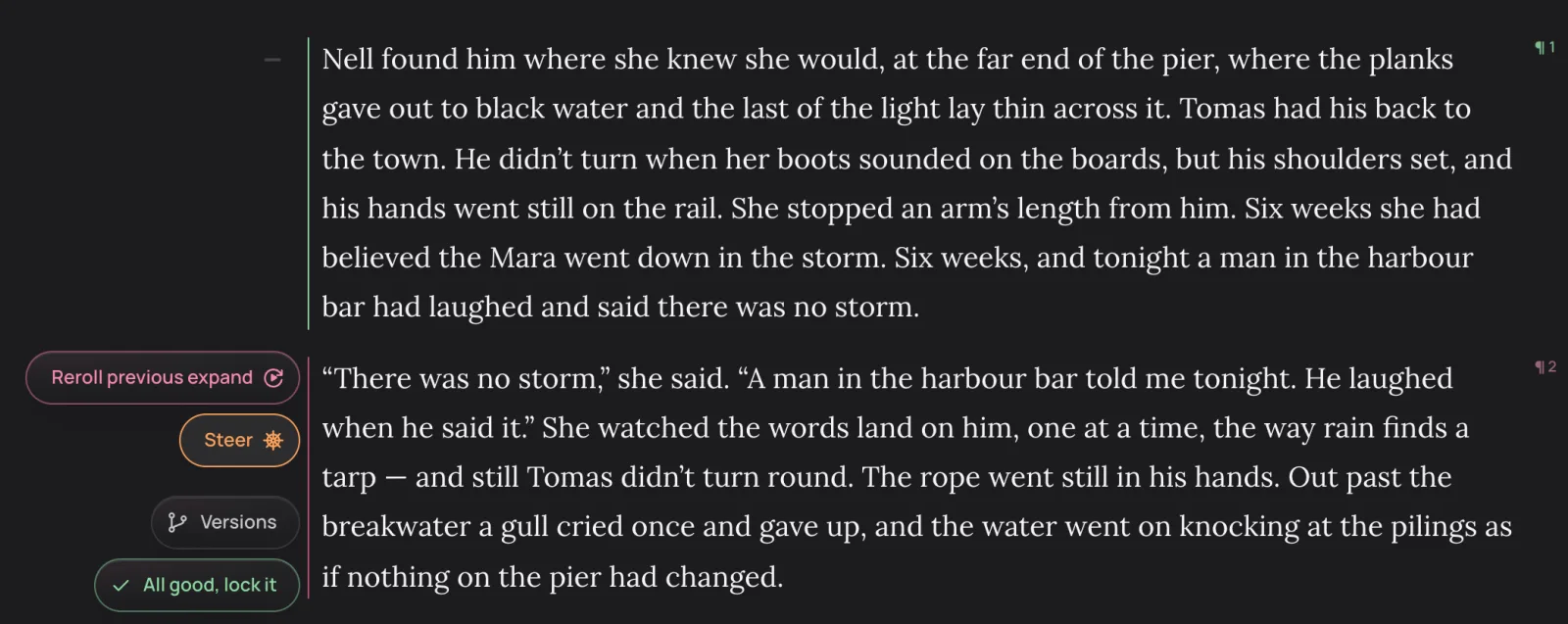
Once a paragraph has been expanded or steered, the last button in its margin is All good, lock it. A locked paragraph gets a green line down its edge and can't be typed into, joined or changed by accident — and the story bible reads it straight away, so what it says is filed while it's fresh.
- Changed your mind? Press Locked, then Unlock? to open it again.
- Locking is how you mark a paragraph as finished: a long chapter shows at a glance what's done and what isn't.
Stuck? Three ways forward.
On an empty paragraph, the dice in the margin open Suggest: three possible next beats, read from your whole story. Close stays in the moment, Progress takes the next step, Twist surprises you without breaking anything you've established. Click one to put it on the page, or reroll for three more.
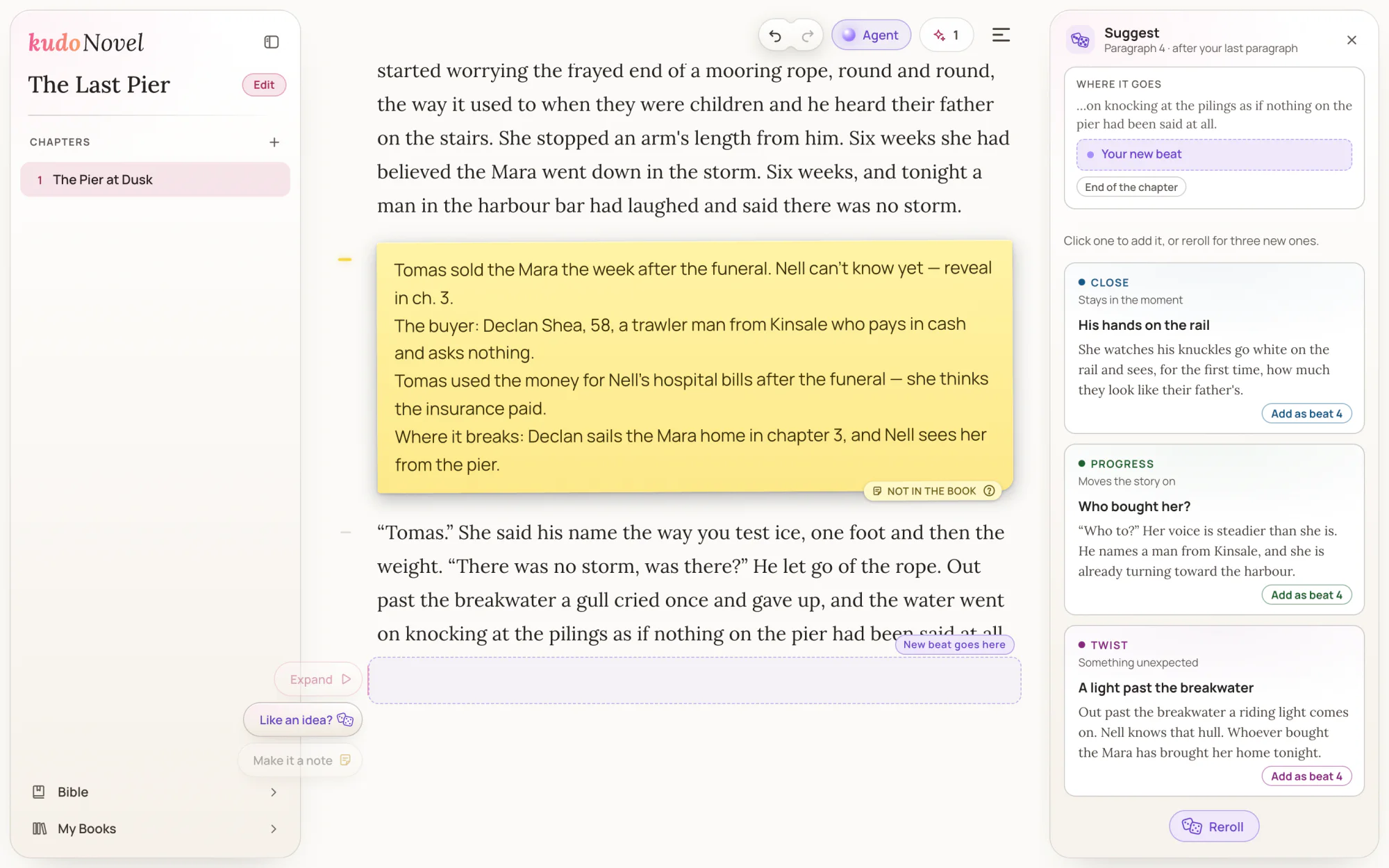
Suggest lives in a panel on the right, so the page stays in view.
It keeps up by itself.
You never fill in a form. As you write, KudoNovel files the characters, places, things and events into your story bible, and keeps a summary of the whole book. Before anything is written, the right entries are picked for that paragraph — so chapter 30 is written with chapter 1 in mind. Edit any entry yourself and the AI will never rewrite it. Ask the bible a question with Ask.
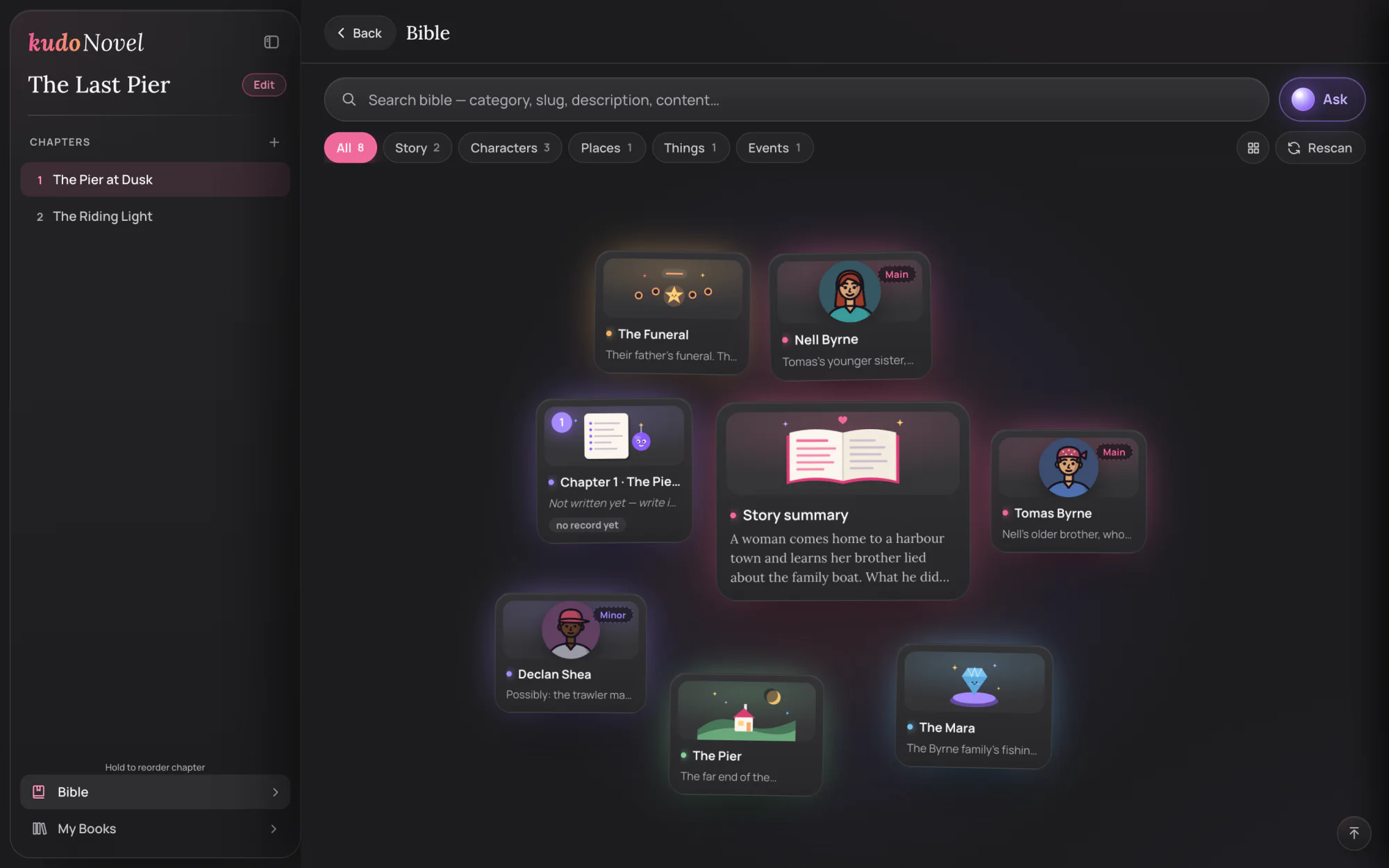
The bible's cards float; search or pick a filter and they line up in a grid.
Nothing is ever lost.
Every change the AI makes is a version. Undo and Redo sit above the page, ⌘ Z undoes anything — even a deleted paragraph — History lists every step, and Versions opens a map of every draft of a paragraph. Click one to preview it on the page; keep it or go back.
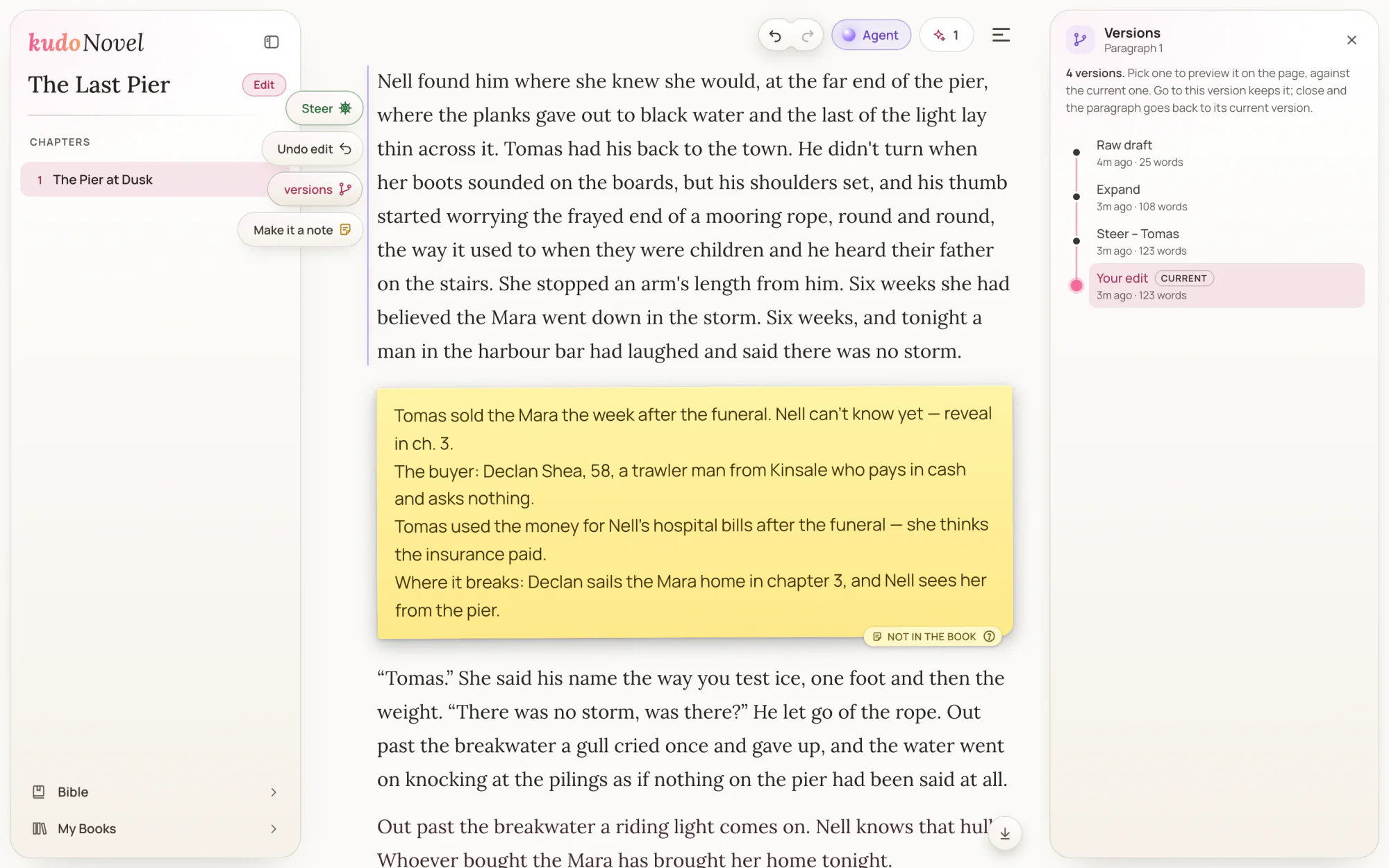
The rough line, the Expand and the steer — all still there.
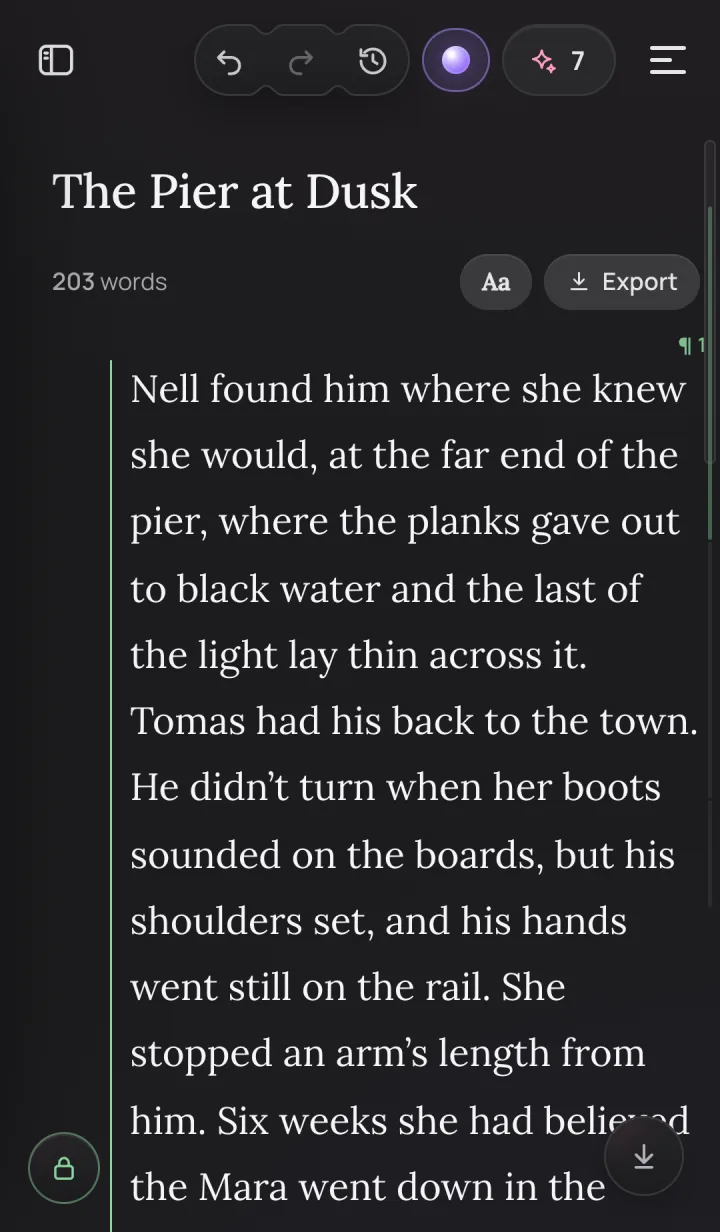
Your book, on your phone too.
KudoNovel runs in the browser — no download. The same buttons sit in the margin on a phone, and your book is the same book on every device, saved as you go.
Six moves worth knowing
On a keyboardWhen you're ready for more
All in the same appPublish
Put chapters up on Community Books, chapter by chapter. Readers read free, comment and give kudos.
kudonovel.com/library →Export
Take your book with you as EPUB, PDF, Markdown, HTML or plain text.
Export, at the top of the pageImport
Bring a book you started elsewhere: .docx, .epub, .odt, Markdown, Scrivener and more.
My Books → ImportKudoAI Agent
Chat, and KudoAI works the app for you on screen — every action can be undone. Purchased credits only.
The Agent button, top rightWhat it costs
Pay once, use foreverQuestions new writers ask
Short answersWhat does that button do?
Every button and area of the write screen — Reroll previous Expand, In mind, Versions, the lock, the Steer box's quick buttons and the rest — is explained, searchable, on Every button, explained.
Do I need to save?
No. There is no save button: everything saves to your KudoNovel account as you write, and the same book opens on your phone and your computer.
Will the AI change what I wrote?
Only when you press Expand or Steer, and only that paragraph — never a locked one. Expand keeps your words and events and writes around them; a steer changes what you asked for and leaves the rest. Every change can be undone, and any earlier version is one click away in Versions.
Do I have to fill in the story bible?
No. It fills itself in as you write. You can open it from the sidebar to read or edit any entry, and an entry you edited is never rewritten by the AI.
What does locking a paragraph do?
It marks the paragraph as done. A locked paragraph can't be typed into, joined or changed by the AI until you unlock it, and the story bible reads it as soon as you lock it. Press Locked, then Unlock?, to open it again.
Why did Expand ask me where to cut?
Your line held several moments, and KudoAI writes best a few at a time. Pick how many to expand now; the rest wait under the paragraph as next moments, in your own words, ready when you are.
Is there an app to download?
No download needed. KudoNovel runs in any modern browser, on a computer or a phone.
Be first to read the next chapter.
Press releases and product updates from KudoNovel, straight to your inbox — for writers, reviewers and anyone covering AI and fiction.
- New features the day they ship, with the demo
- Notes on how we build KudoAI, in plain words
- Early looks before the press release goes out
Your first line is the hardest. We'll take it from there.
Open KudoNovel, type anything, and press Expand.
Start writing — free to try The story in the screenshots, “The Last Pier”, was made up for this page.